The world of budgeting apps can be overwhelming. Some developers promise full automation, while others focus on simplicity and design. Monefy belongs to the second category — a minimalist expense tracker that has gained a loyal user base worldwide. But does it actually support automatic expense tracking? Is it reliable enough for family budgeting? And which alternatives in 2026 offer more advanced features? Let’s break it down step by step.
What is Monefy, and how does it work for expense tracking?
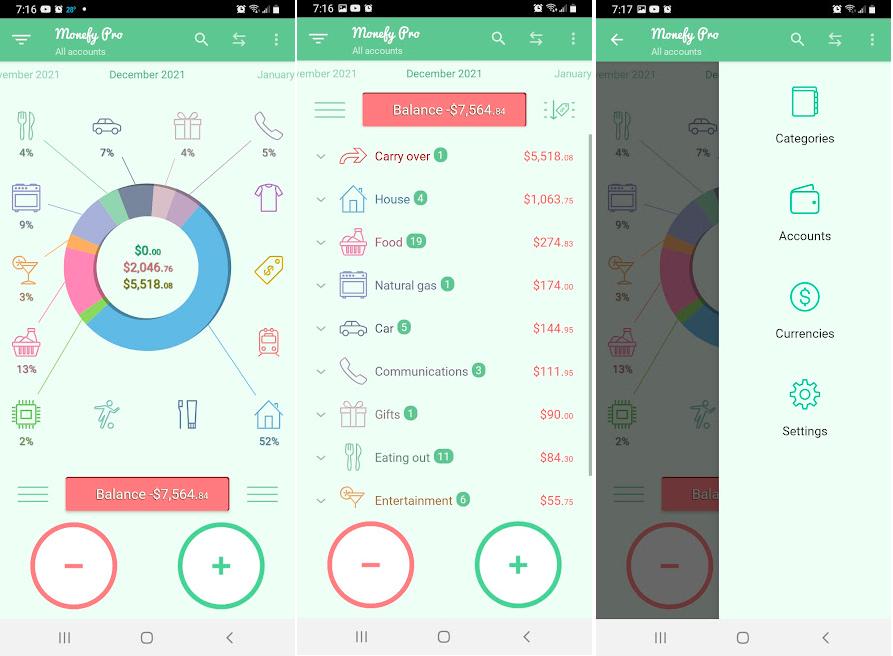
Monefy is a personal finance app available on both iOS and Android. Its core philosophy is simple: “Just track what you spend — nothing more.” No unnecessary complexity — just you, your money, and a few taps on the screen.
What can Monefy do?
- Quick expense entry. Buying coffee or taking a taxi? Just tap once, and the expense is recorded. In most cases, you only need to enter the amount.
- Clear visual charts. Expenses are displayed in pie charts, making it easy to see how much you spend on food, transportation, entertainment, and other categories.
- Custom categories and accounts. You can create your own categories and accounts, including cash, bank cards, and e-wallets, although the free version has some limitations.
- Recurring expenses. Useful for tracking regular payments such as rent, subscriptions, and utilities.
- Multi-currency support. Monefy can handle accounts in different currencies.
- Cross-device synchronization. Data can be synced through your personal Google Drive or Dropbox account, keeping access fully under your control.
- CSV and Excel export. Helpful for users who prefer detailed financial analysis in spreadsheets.
Monefy is often praised for its strong focus on privacy and security: user data is encrypted during both storage and transfer, while the app collects very little personal information.
“Financial tracking should be fast and invisible. If entering a single expense takes more than 10 seconds, it stops being a habit and starts feeling like a punishment,” says Anton Danilenko, creator of the AI assistant Marta.
Monefy is an ideal tool for people who want a quick and distraction-free way to track expenses and maintain a clear overview of their finances — as long as they are comfortable entering everything manually.

Does Monefy support automatic expense tracking: reality or just marketing?
This is the main question most users ask before installing the app. The short answer is: Monefy does not support automatic expense tracking.
Here is what you need to know:
- No bank integrations. The app does not connect to bank accounts or automatically import transactions. The only synchronization available is syncing your manually entered data between devices through Google Drive or Dropbox.
- No SMS recognition. Monefy cannot read bank SMS notifications or automatically create expense entries from them.
- No receipt scanning. The app does not recognize receipts or import transaction data from bank statements.
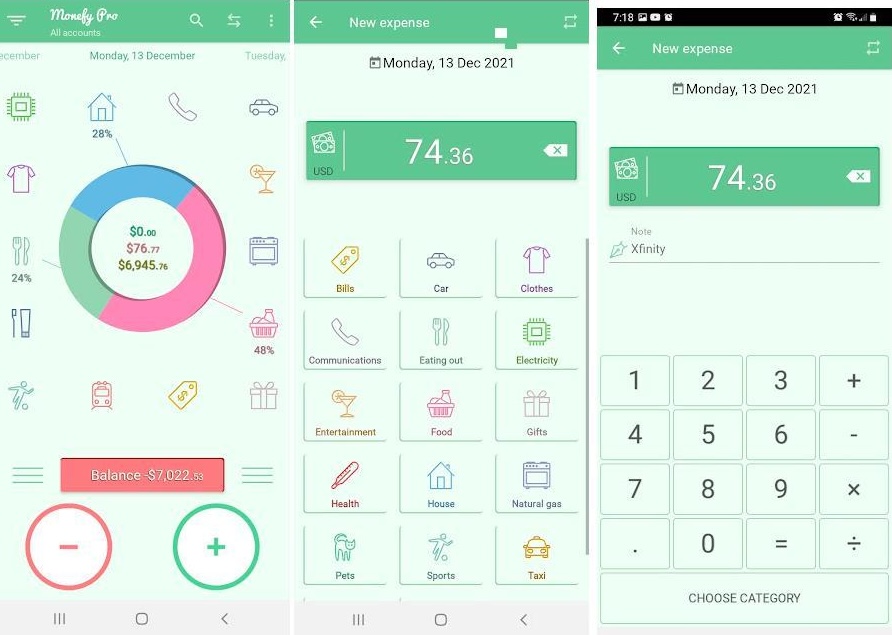
The only way data gets into Monefy is through manual entry. You open the app, tap “+” or “–”, choose a category, and type in the amount yourself. That is it.
What does “automatic tracking” actually mean in some reviews?
You may come across articles describing Monefy as having “automatic expense tracking.” In reality, this usually refers either to automatic budget calculations (for example, the app automatically shows how much money you have left) or to synchronization between devices. It does not mean automatic transaction imports from banks.
Monefy is a completely manual budgeting tool. In this context, the word “automatic” can be misleading marketing language rather than true financial automation. If you are looking for real automated expense tracking, Monefy is probably not the right choice.
Monefy reviews: what users like about it for everyday budgeting
Despite the lack of automation, Monefy has built a loyal fan base. Here is what users appreciate most about the app:
What users like most about Monefy
- Simplicity and speed. Users often mention that adding expenses in Monefy feels effortless. Reviews describe the app as “very simple, yet convenient and intuitive.”
- Clean and pleasant design. The minimalist interface, visually appealing icons, and balanced color palette make the app comfortable to use every day.
- Strong privacy focus. Monefy is often praised for its privacy-friendly approach and minimal data collection. The app can even be used without creating an account.
- Backup and export features. The ability to save data backups and export transactions to Excel is especially useful for users who prefer deeper financial analysis.
- Shared budgeting through synchronization. Although Monefy does not offer a dedicated “family wallet” feature, users can sync data between family devices through a shared Google Drive or Dropbox account, making shared expense tracking possible.
Monefy is loved for its simplicity, speed, and clean design. It is a great choice for people who want a quick way to track expenses and view clear financial statistics without dealing with complicated settings or advanced features.
Monefy cons: what users complain about most
Like any budgeting tool, Monefy comes with limitations — and for many users, they eventually become deal-breakers.
Main drawbacks users mention:
| Drawback | What it means in practice |
|---|---|
| No automatic expense tracking | No bank integrations, no SMS recognition, and no receipt scanning. Every expense must be entered manually. |
| Paid category customization | In the free version, you cannot create your own categories and are limited to the default ones. |
| Limited account synchronization | Transactions cannot be properly synced across multiple accounts, which many users see as a major downside. |
| Expensive premium subscription | The Premium version is relatively expensive. In some regions, the subscription costs up to €42.99. |
| Limited investment tracking | The app can only track income and expenses, not investment portfolios or assets. |
| Ads in the free version | Advertising banners and constant Premium upgrade prompts can become annoying over time. |
Monefy is not ideal for large-scale financial tracking, shared family budgeting with multiple participants, or, most importantly, for users who do not want to spend time manually entering every transaction. It is designed more for enthusiasts of manual budgeting than for busy people looking for real automation.
Monefy alternatives with real automatic expense tracking
If you are tired of entering expenses manually and want real automation, here are four alternatives worth considering in 2026.
Comparison table: Monefy vs alternatives
| Feature | Monefy | Marta | Zenmoney | CoinKeeper |
|---|---|---|---|---|
| Data input | Manual only | Voice, text, screenshots, PDF/CSV statements | Automatic bank sync (via APIs) | Automatic via SMS |
| Automatic expense tracking | No | Yes (AI-powered) | Yes | Partial (SMS-based) |
| Receipt recognition | No | Yes (screenshots and statements) | QR codes only | No |
| Platform | iOS, Android | Telegram (cross-platform) | iOS, Android | iOS, Android |
| Family budgeting | Through shared synchronization | Upcoming family plan with shared budgets and private chats | Yes | Yes (premium only) |
| Security | High | Maximum privacy (no direct bank access required) | Medium (requires bank credentials in some cases) | Medium |
| Free version | Yes (limited) | Free trial available | Limited | Limited |
Why Marta is the best Monefy alternative in 2026
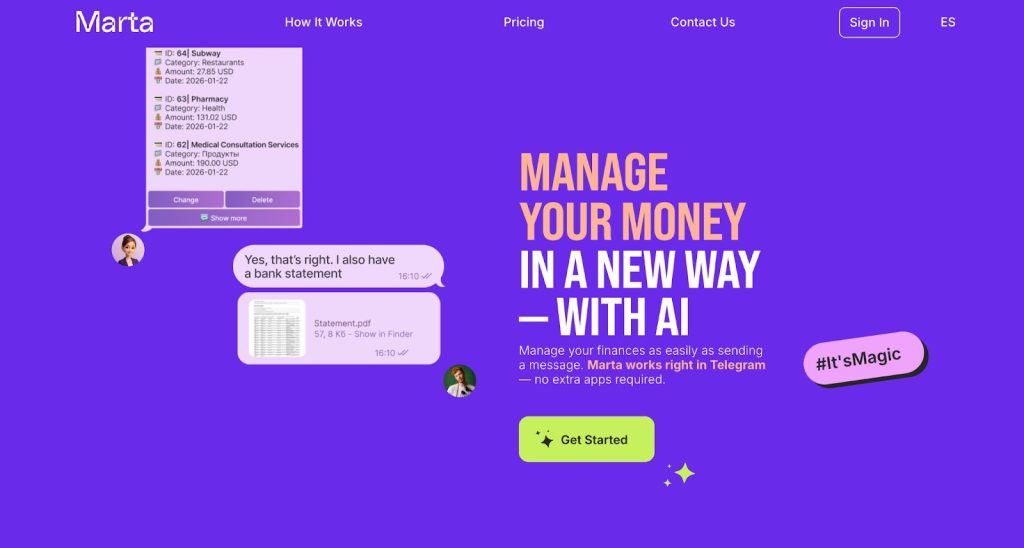
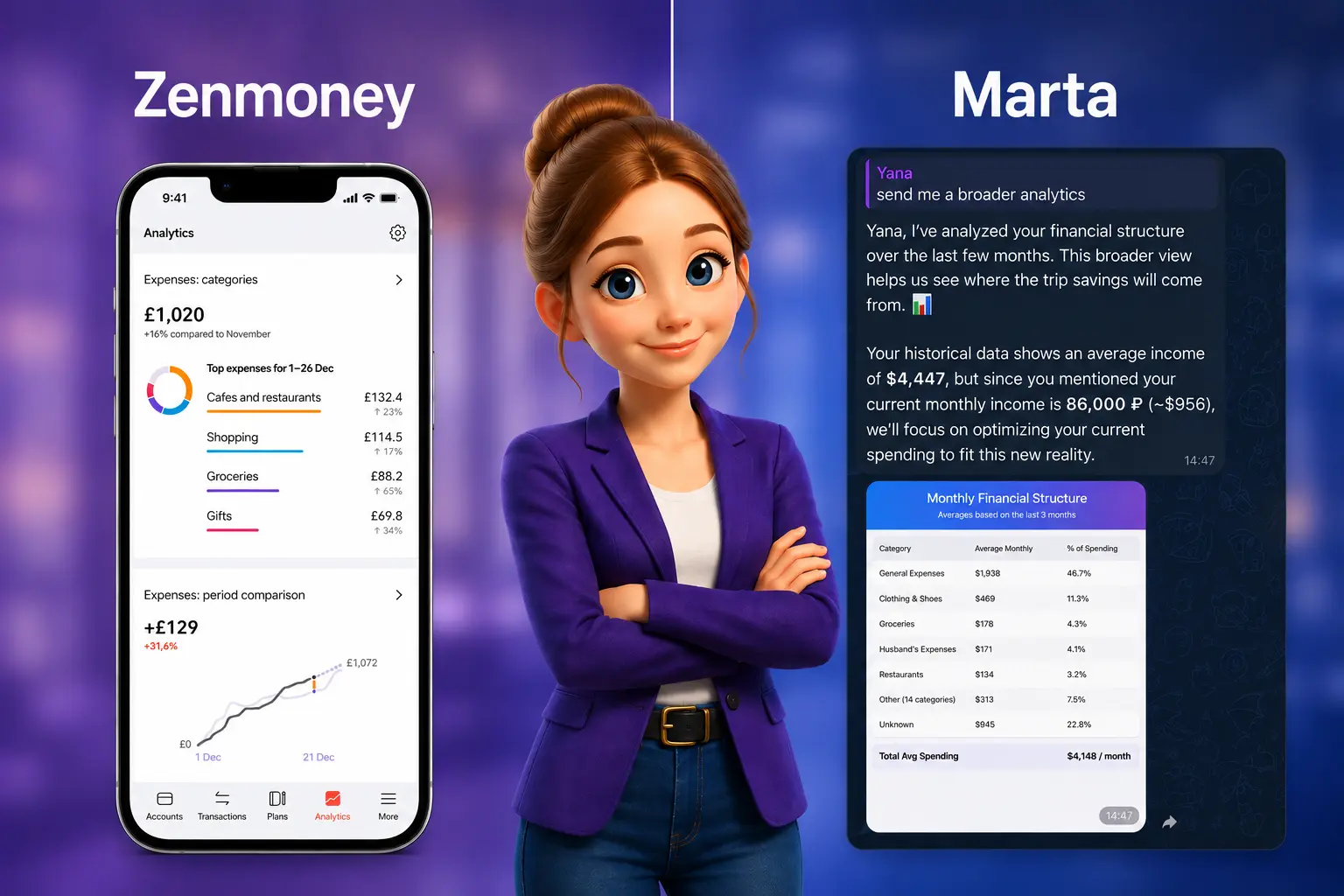
If Monefy’s philosophy is “track everything yourself,” Marta’s philosophy is “let AI handle everything for you.” Marta is an AI-powered financial assistant that works directly inside Telegram and solves Monefy’s biggest weakness: the lack of automation.
What makes Marta better
- Real automation without routine. You do not need to manually enter every expense. Just send Marta a receipt screenshot, a voice message, or a PDF/CSV bank statement, and the AI will automatically recognize transactions, categorize them, and add them to your reports.
- Smart AI recognition. Marta understands multiple languages and supports 170 currencies with automatic exchange rate conversion.
- Built directly into Telegram. There is no need to download another app, create extra accounts, or remember additional passwords. Marta is always available inside the messenger you already use every day.
- Maximum privacy and security. Marta does not require your bank logins or passwords. You decide what information to share. All data is encrypted, and only you have access to your finances.
- Next-generation family budgeting. In Monefy, shared budgeting is essentially just cloud synchronization. Marta is introducing a unique family plan where budgets, goals, analytics, and reports are shared, while each family member still keeps a private personal chat hidden from others. Users will also be able to switch seamlessly between personal and family modes.
Other alternatives:
- Zenmoney — a good option if automatic bank synchronization is your top priority, although it may require sharing banking credentials or granting deeper account access.
- CoinKeeper — known for its visual budgeting interface and SMS-based expense tracking, but its automation features are still relatively limited.
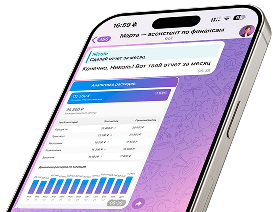
Marta — your personal finance assistant in Telegram
FAQ: common questions about Monefy
1. Does Monefy support automatic expense tracking?
No. Monefy does not connect to bank accounts, read SMS notifications, or recognize receipts. All transactions must be entered manually. The synchronization mentioned by the developer only refers to syncing your manually entered data between devices.
2. Is Monefy free for family budgeting?
Monefy does offer a free version, but it comes with significant limitations: you cannot create custom categories, personalize the interface, and ads are included. For family budgeting, users can sync data between devices through Google Drive or Dropbox, but this is not a полноценный shared family budgeting feature.
3. What do users think about Monefy in 2026?
Users continue to praise Monefy for its simplicity, clean design, and fast expense entry. However, many reviews also mention the lack of automation, paid customization features, and the relatively expensive Premium subscription. Overall, Monefy is better suited for people who enjoy manual budgeting rather than users looking for full automation.
4. What are the best alternatives to Monefy?
One of the strongest alternatives with real automation is Marta. It uses AI to recognize screenshots and bank statements, understands voice commands, works directly inside Telegram, and keeps your data private without requiring access to your bank accounts. Other popular alternatives include Zenmoney (automatic bank sync through APIs) and CoinKeeper (SMS-based expense tracking).
Should you choose Monefy in 2026?
Monefy is a clean and user-friendly tool for manual expense tracking. It is a great fit if you:
- are comfortable entering every expense manually;
- value minimalism and privacy;
- do not need advanced analytics or shared family budgeting features.
But if you are looking for real automation and do not want to spend time on repetitive financial tasks, Monefy may end up feeling outdated. In 2026, managing your finances entirely by hand is a bit like using a flip phone in the age of smartphones.
The modern approach is Marta: voice input, AI-powered screenshot recognition, seamless Telegram integration, and complete data privacy. Try it yourself and experience the difference.
Learn more and start saving time today
- Learn more about the AI assistant’s features on the main page of our website.
- Explore the pricing plans and start your free trial on the pricing page.
- Message Marta directly through the Telegram bot and experience the speed of AI-powered expense tracking for yourself.
- Subscribe to our Telegram news channel to stay updated on the upcoming family plan and other new features.