In this article, we take a detailed look at the CoinKeeper app based on real user reviews and explore whether it is a good fit for managing family finances. We also compare several modern alternatives, including the AI assistant Marta, so you can choose the most convenient and reliable tool for managing your money.
What is CoinKeeper, and how can it help you manage a family budget?
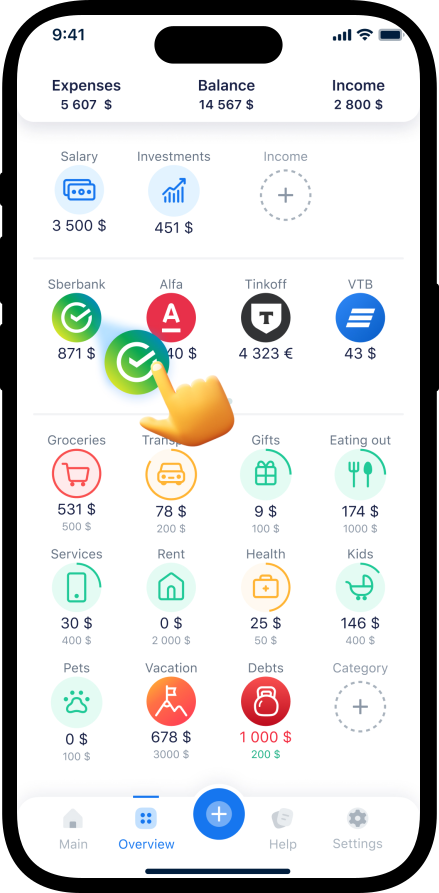
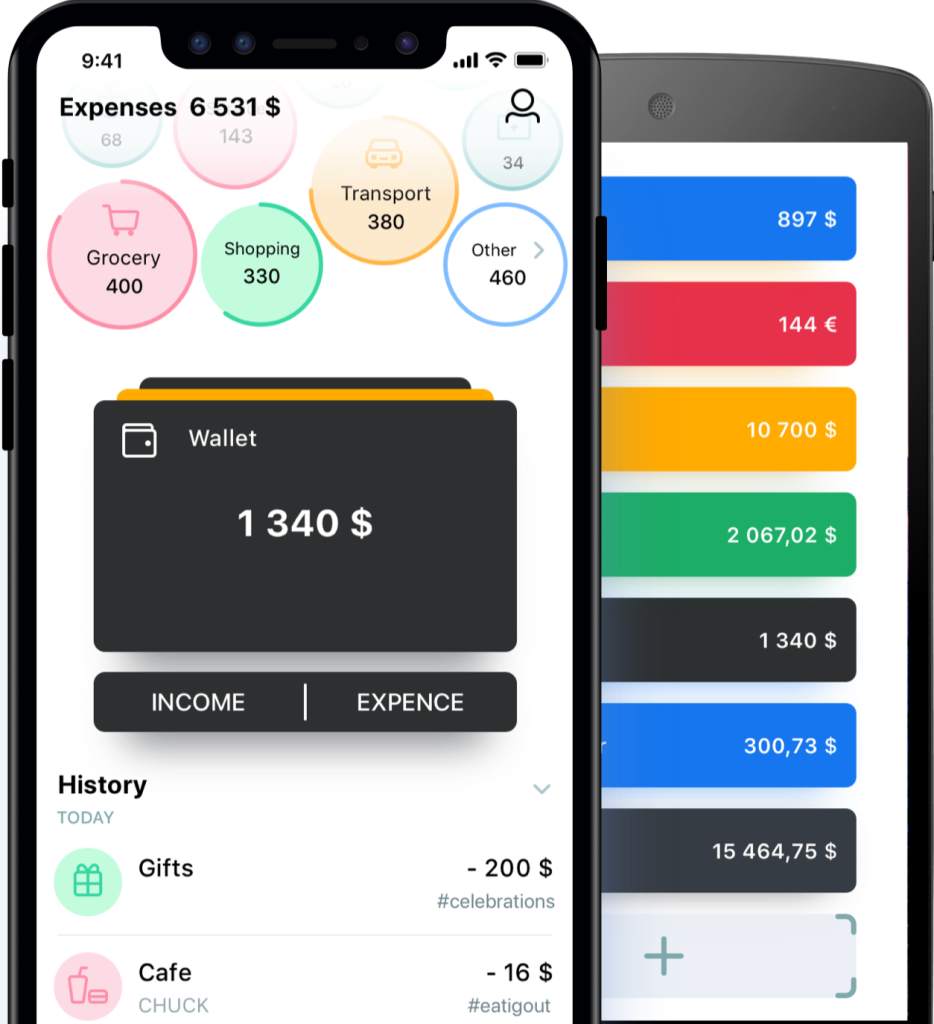
CoinKeeper is a popular app for personal and family budgeting available on both iOS and Android. Its main feature is a visual approach: assets and budgets are displayed as interactive “baskets,” making it easier to understand how your money moves. Let’s take a look at its key features.
Interface and user experience
The CoinKeeper interface brings together all your accounts, cards, and cash balances on a single home screen. Most core actions are available with just one swipe. Users can create an unlimited number of income and expense categories. Many reviews highlight that the app is very easy to use and generally stable in everyday budgeting.
Shared access and family budgeting
CoinKeeper supports shared budgeting in its premium version, allowing multiple people to manage finances from different devices. Family members can log expenses from their own smartphones, while balances stay synchronized for everyone. The CoinKeeper team has also announced plans to add more detailed permission management for shared family budgets in future updates.
CoinKeeper is a classic budgeting app with a visual interface and support for shared access. It works well for basic family expense tracking. However, it still does not offer a complete separation between personal and shared finances.
CoinKeeper reviews: real user experiences, pros, and common bugs
Before installing any budgeting app, it is important to understand what real users are saying about it. Based on dozens of reviews, let’s look at the main advantages and drawbacks of CoinKeeper.
Pros: what users like about CoinKeeper

Many users praise the app for its visual design and ease of use:
- Clear visual analytics. CoinKeeper automatically generates easy-to-read bar charts for income and expenses, helping users quickly analyze their spending and adjust their budget.
- Bank integration. CoinKeeper supports transaction imports from a wide range of major banks and financial institutions, making it easier to sync and manage your spending automatically.
- Convenient manual entry. Despite automation features, many users still prefer entering expenses manually and note that CoinKeeper makes this process simple and intuitive.
- Multi-currency support. The app supports budgeting in different currencies and automatically updates exchange rates.
Cons and common complaints (2026 reviews)
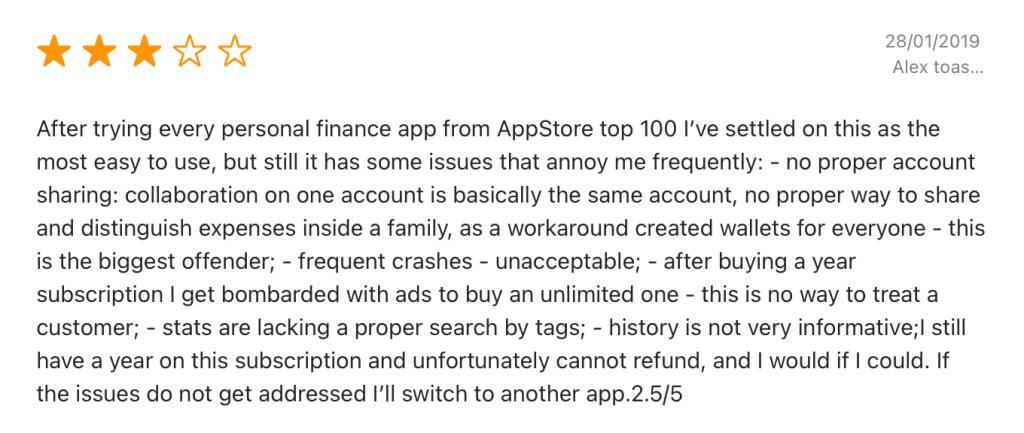
Reviews from 2024–2026 regularly mention several recurring issues:
- Sync problems. One of the most common complaints is that bank imports do not always work reliably: “I upgraded to Premium, but I still cannot connect bank imports. It just keeps showing an error.”
- Unhelpful customer support. Users often complain that support either does not respond or suggests complicated troubleshooting steps that rarely solve the issue.
- Questionable monetization. Some customers reported that ads appeared and additional premium fees were introduced even after purchasing a “lifetime” subscription.
- Features not matching expectations. One user review stated: “Even with the fully paid lifetime subscription, card integration with any bank simply does not work.”
- Calculation errors and data loss. One long-time user who had tracked finances for more than 10 years reported noticeable inaccuracies in balances and sync errors that caused an entire month of data to disappear twice.
User feedback
“One of the simplest budgeting apps out there. Bank imports are not always reliable, so I still enter transactions manually. The free version has a lot of limitations.” — Daniel
“I bought the lifetime subscription, but a year later ads appeared again along with a new premium plan.” — user review about the monetization model
“They keep charging me even though I canceled the subscription and deleted the app a long time ago.” — Maria
CoinKeeper offers a user-friendly interface and broad bank integration support, but in practice many users report unstable synchronization, calculation errors, and support-related issues. If reliability and preserving your financial history are important to you, it is worth approaching this app with caution.
Is CoinKeeper worth using for family budgeting?
To answer this question, let’s look at several real-life usage scenarios.
Situations where CoinKeeper may work well:
- Couples with a high level of financial transparency. If you and your partner are comfortable sharing full access to all finances, CoinKeeper can provide a clear overview of your household spending.
- Users who prefer visual budgeting. Its gamified interface with baskets and drag-and-drop coins makes budgeting feel more intuitive and engaging.
- Families that need cloud sync across devices. In the paid version, financial data syncs across all smartphones and tablets used by family members.
The free version of CoinKeeper comes with several limitations:
- Only manual income and expense tracking is available.
- Syncing across multiple devices is not included and requires a premium subscription.
- Reports and analytics features are limited.
Premium access starts at around $25 per year. However, as many user reviews show, even the paid version does not always guarantee stable performance.
CoinKeeper can still be useful for shared budgeting if you are comfortable with occasional sync issues and willing to pay for premium access. However, users who prioritize reliability, privacy, and the ability to separate personal and shared expenses may want to consider more modern alternatives.
CoinKeeper alternatives: which apps are better for budgeting as a couple?
Let’s compare CoinKeeper with three popular alternatives: Zenmoney, Monefy, and Marta.
| Feature | CoinKeeper | Zenmoney | Monefy | Marta |
|---|---|---|---|---|
| Family budgeting | Available (premium) | Available | Limited | Planned |
| Bank imports | 150+ banks | Automatic sync | No | Via bank statements |
| Automation | Imports + SMS parsing | Full automation | Manual entry | AI-powered analysis |
| Price (yearly) | From $17/year | From $35/year | From $11/year | Subscription-based |
| Multi-currency support | Yes (170+ currencies) | Yes | Yes | Yes (170+ currencies) |
| AI analytics | No | Partial | No | Full AI analytics |
| Ease of input | Manual / automatic | Mostly automatic | Manual | Voice messages, screenshots |
Zenmoney
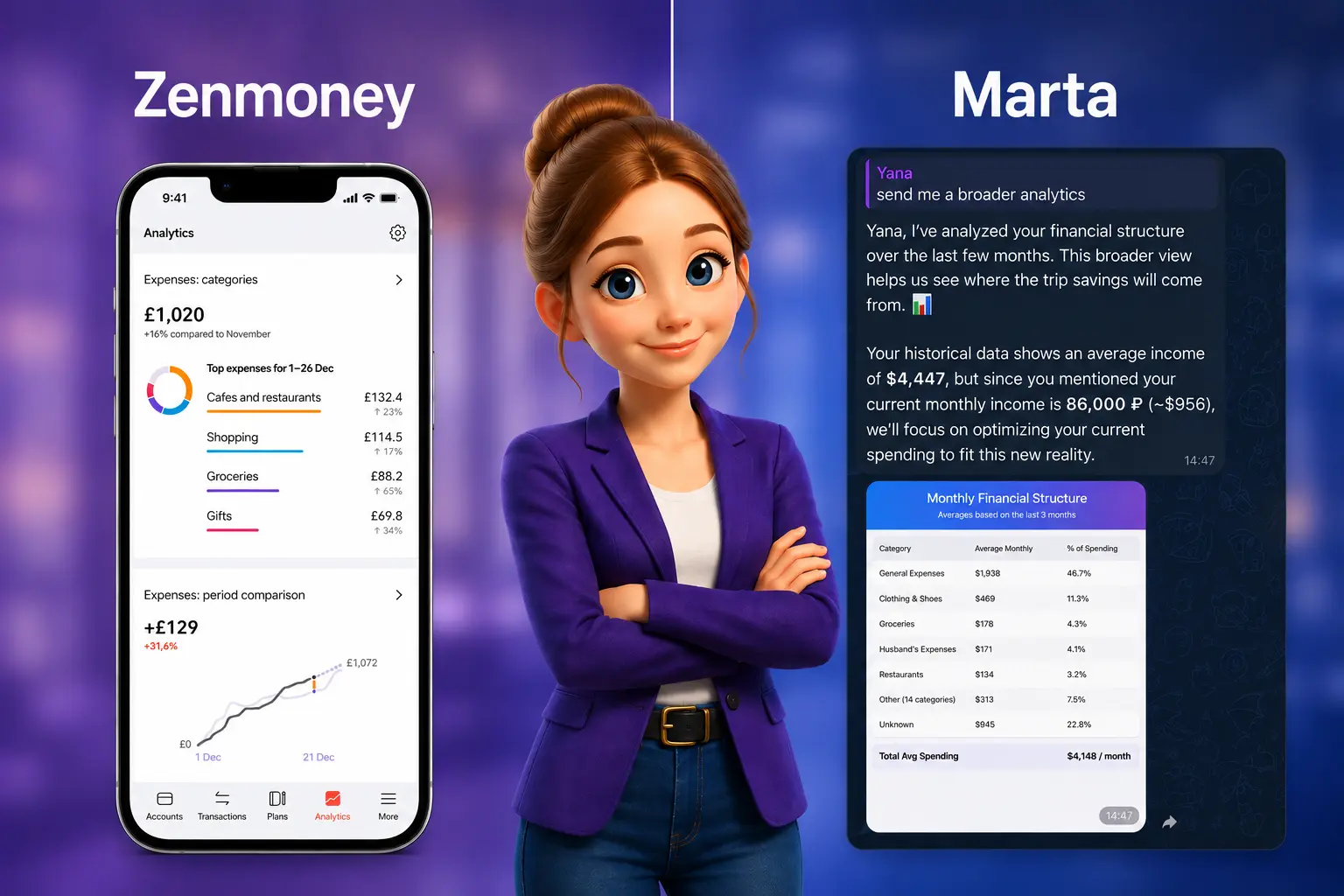
Zenmoney is a budgeting app that automatically syncs data from banks and allows the whole family to manage finances together. Its paid version (starting at around $5 per month) includes AI-based forecasts, spending limits, and even business finance tracking.
Monefy
Monefy is a minimalist alternative focused mainly on manual expense tracking. It works well for couples who are comfortable entering every expense themselves. Premium access starts at around $11 per year.
Marta: an AI-powered Telegram assistant
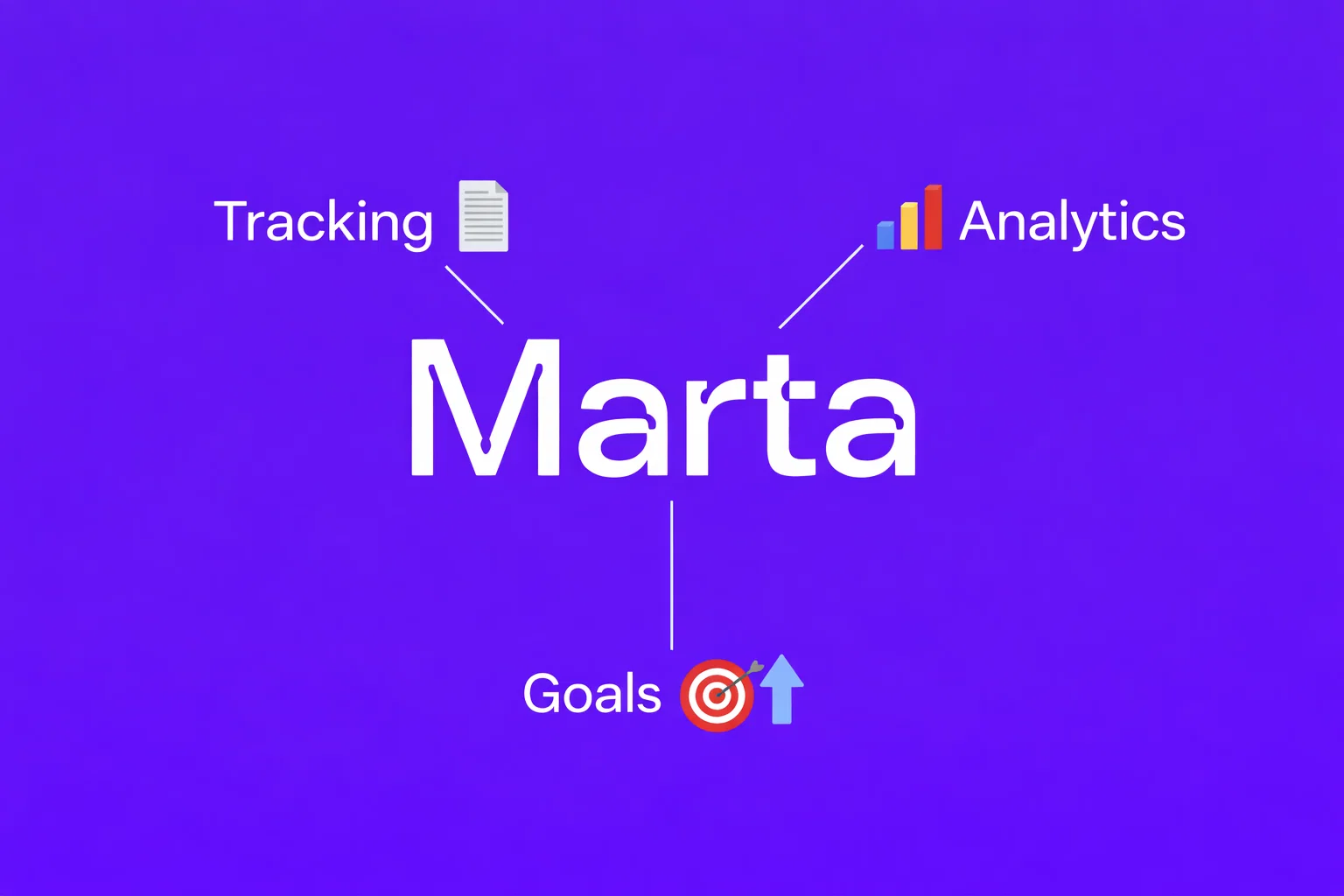
Unlike traditional budgeting apps, Marta works directly inside Telegram. It uses artificial intelligence to recognize and process information from almost any format.
Key advantages of Marta
- Fast and effortless input. Simply send a screenshot, voice message, or bank statement in PDF or CSV format to the chat, and the AI will automatically recognize and categorize transactions.
- Multi-currency and multilingual support. Marta supports 170 currencies and can automatically convert everything into your preferred base currency. It can also recognize receipts in multiple languages, including Chinese and Arabic.
- Strong security. Data is protected with 256-bit encryption, and only you have access to your accounts and financial records.
- Automatic subscription detection. The assistant identifies recurring payments such as streaming services, software subscriptions, and memberships, collecting them into a single organized list.
As for family budgeting, Marta is planning to introduce a family subscription that will allow users to manage shared finances, shared analytics, and shared financial goals. The budget itself, analytics, reports, and goals will all be shared, while each family member will still have their own private chat, invisible to other participants.
Users will also be able to switch between their family-connected chat and their own personal chat. This is fundamentally different from the CoinKeeper approach, where all transactions are visible to everyone.
Among CoinKeeper alternatives, Marta stands out as a modern AI-powered assistant that eliminates manual data entry while offering a high level of privacy. With the upcoming family plan, Marta could become one of the best options for couples who want to manage a shared budget without giving up personal space.
Final recommendations
When CoinKeeper may still be a good fit: if you are looking for a simple visual budgeting app, are comfortable dealing with occasional sync issues, and do not mind paying for premium access.
When it makes sense to choose an alternative: if reliability, fast data entry, and privacy are your priorities. In that case, Marta is worth considering — an AI-powered Telegram assistant that automates financial tracking and analysis.
Learn more about the AI financial assistant on the main page of our website.
You can start with a free trial to explore all features. Simply visit the pricing page using the link or message the bot directly.
Subscribe to Marta’s Telegram news channel to stay updated on new features and be the first to hear about the upcoming family plan.