
Have you ever wondered how much money quietly disappears on small everyday purchases each month? A regular calculator won’t give you that answer — you need analysis. Marta’s expense tracking calculator is a smart system that automatically calculates, categorizes, and even predicts your financial activity.
This article is for anyone who wants accurate numbers without spending hours manually calculating everything in spreadsheets.

How much do you actually spend on coffee? Marta calculates it in seconds.
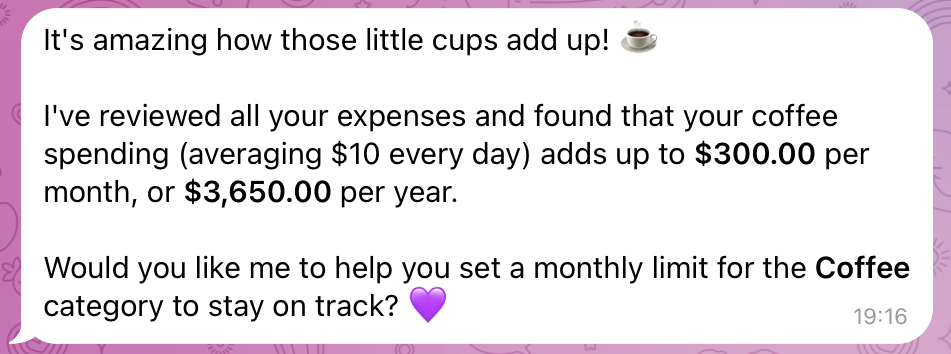
We tend to underestimate small expenses. Spending $2 on coffee doesn’t feel like much. But let’s look at it through a budget planning calculator.
How it works: you simply send Marta a screenshot from your banking app showing a coffee purchase. If you paid in cash, you can send a voice message like: “Americano, $2.”
What the bot does:
- Recognizes the amount. It doesn’t matter what language the receipt is in or which currency was used.
- Automatically assigns a category. Marta understands that “Americano” belongs to “Cafes & Restaurants.”
- Converts currency. If you bought coffee while traveling, Marta supports 170+ currencies and converts the expense into your base currency using the exchange rate on the purchase date.
- Adds it to your reports. A month later, you can ask: “Marta, show my coffee spending,” and get the exact total along with a chart.
As one user, Alina, a chemical engineer, shared: “Even in Australia, Marta works perfectly for me. It tracks expenses, savings, and converts currencies.”
This is what a modern expense-tracking calculator looks like—it works wherever you are.
Instant calculations from screenshots and voice inputs eliminate the myth of “small expenses” by revealing the real picture of your cash flow.
How AI in Marta predicts your spending and helps you avoid debt
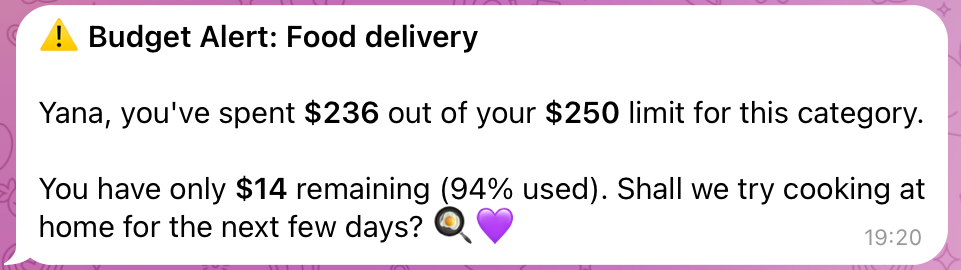
Many apps can calculate past expenses. But an AI-powered budget calculator goes further. It doesn’t just show what happened — it models what’s likely to happen next.
AI forecasting features:
- Trend analysis. Marta analyzes your spending history over the past 3–6 months. It can detect patterns, like higher spending at the start of the school year or increased expenses in December.
- “What if” scenarios. You can ask: “Marta, what happens if I buy this laptop for $1,000?” The AI will show how this purchase may affect your savings and daily spending in the coming months.
- Budget limit alerts. This is your built-in protection against overspending. If by the middle of the month you’ve already spent 80% of your usual food budget, Marta will notify you: “Your food expenses are higher than usual. You may want to cut back to avoid running short before your next paycheck.”
As Anton Danilenko, creator of Marta, explains, Marta’s core goal is to learn from your data to make accurate predictions. This helps avoid cash gaps and makes it easier to plan ahead, rather than living paycheck to paycheck.
An AI calculator doesn’t just track numbers. It highlights risks early and helps you make more informed financial decisions.
Why Marta’s calculator is more accurate than Excel — and virtually error-free
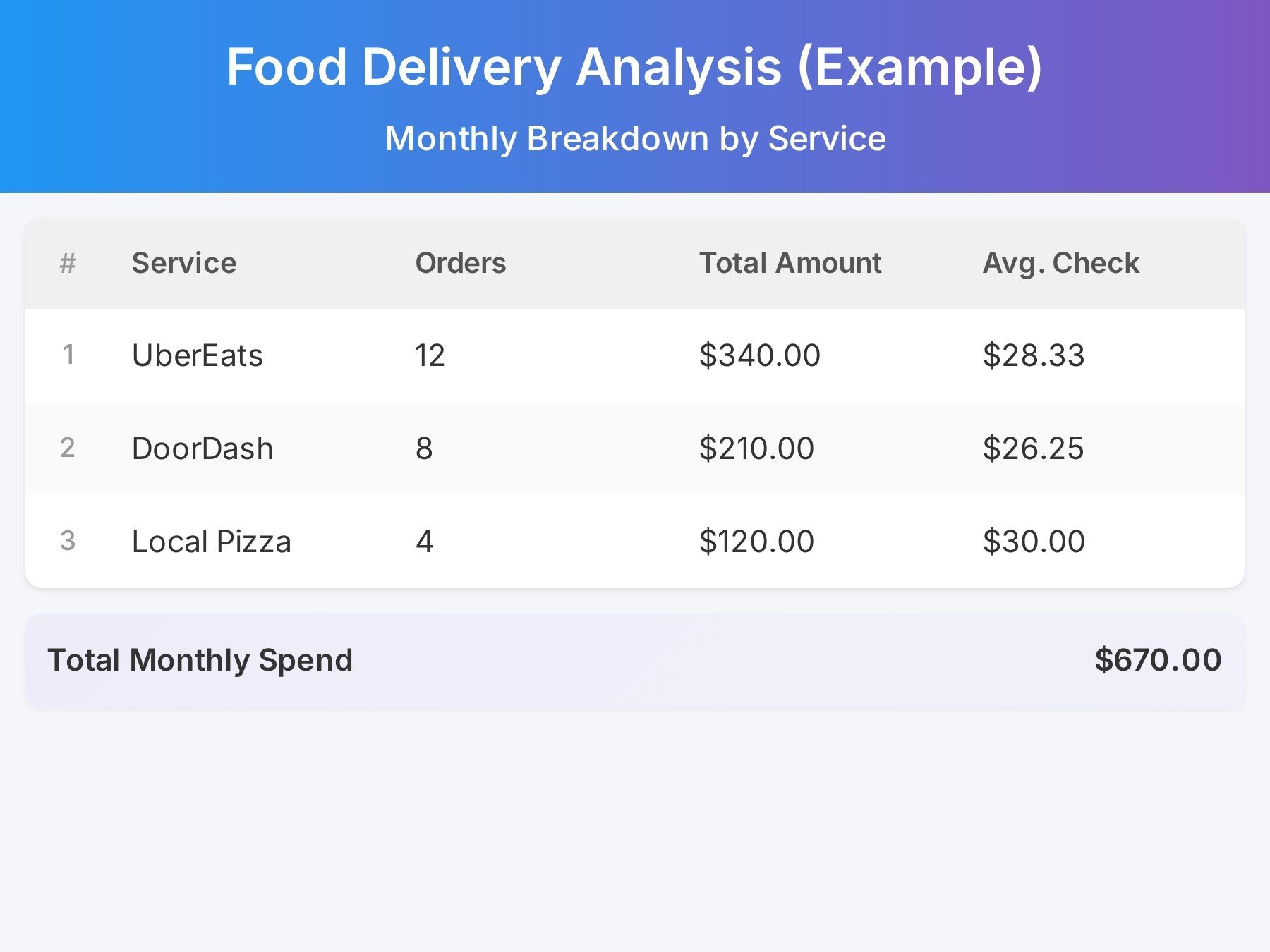
Excel is powerful, but for most people, it becomes a source of mistakes: missed entries, typos, broken formulas. Marta removes the human error factor entirely.
| Data entry | Manual, prone to errors and omissions | Automatic via screenshots, PDFs, and photos |
| Categorization | Manual and subjective | Automatic, adaptive, and consistent |
| Analytics | Requires building pivot tables | Ready-made reports by period, category, and merchant |
| Self-learning | No | Yes. Marta learns your patterns and reduces future input |
The key advantage is self-learning. At first, Marta may ask: “Is this a payment to a supplier or a restaurant?” You answer once, and next time it recognizes it automatically.
Marta also generates visual reports instantly. In Excel, this would take time and effort. Here, you can simply ask: “Show all restaurant expenses for last quarter,” and get both a list and a chart showing how much they represent in your overall spending.
Marta works like an assistant. It removes manual errors and delivers ready-to-use insights in seconds.
Marta — your personal finance assistant in Telegram
Ready for a reality check? Review your daily budget with Marta.
The fastest way to understand your financial situation is to track your spending for one full day with Marta. To get the most out of the expense calculator, follow these tips.
Tips for effective use:
- Set your base currency. When you start, choose the currency you want to see in reports. All expenses in other currencies will be automatically converted using the exchange rate on the transaction date.
- Use a daily routine. Each evening, send Marta screenshots of bank notifications or photos of receipts. This takes about a minute.
- Export your data. If you need deeper analysis or reports for partners, you can export your data. Marta lets you download transaction lists and import them into Google Sheets or Excel, if needed.
This approach gives full transparency. You’ll know exactly how much you spent on taxis, groceries, and entertainment, not at the end of the month, but the same day.
As Dmitry, a store manager, shared: “Now I can finally save and work toward my goal — a new car.”
Daily tracking with Marta takes just minutes but gives you full clarity and control over your spending, helping you adjust before it’s too late.
How to start using Marta and see savings as early as tomorrow
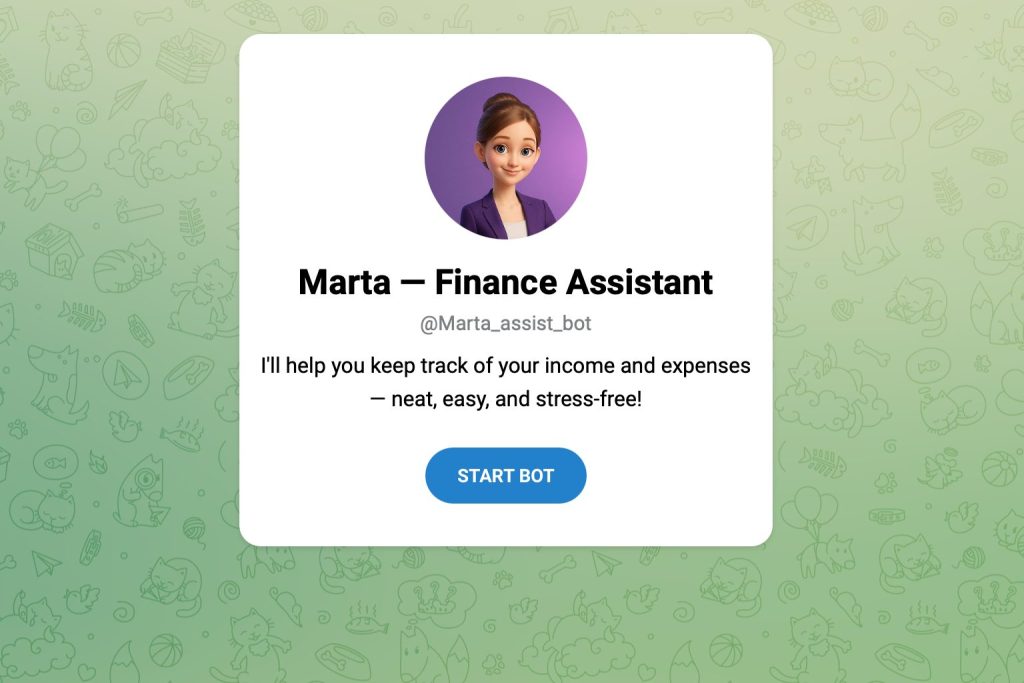
Getting started with Marta is easier than downloading an app. If you have Telegram, you’re ready.
Step-by-step guide:
Step 1. Send your first screenshot. Go to @Marta_assist_bot and click “Start.” Take a screenshot of recent transactions from your bank or a photo of a receipt and send it to Marta.
Step 2. Confirm details if needed. If the bot isn’t sure about the category, it will ask a quick question. Once you answer, it remembers for future transactions.
Step 3. Generate your first report. Ask: “Marta, show today’s report.” You’ll see a breakdown of your expenses. Then request a monthly forecast.
Step 4. Set reminders. To stay consistent, set daily reminders. For example: “Remind me every evening at 9 PM to log expenses.”
By tomorrow, you’ll already have your first day of clean data. Within a week, Marta will start offering personalized savings insights.
You don’t need to wait for the “right moment” to start saving. One screenshot is enough to activate your personal financial calculator.
Final thoughts and recommendations
Marta’s expense tracking and budgeting calculator represents a fundamentally different way to manage money. You’re no longer acting as a bookkeeper trying to balance numbers. Instead, you become a strategist who plans ahead with the help of AI.
Accuracy, speed, and forecasting — these are the three pillars of financial stability with Marta.
What to do next
- Explore all Marta’s features on the website.
- Activate your 7-day free trial — no card required.
- Stay updated. Subscribe to the Telegram channel for updates and new features.
Try Marta today to see real savings reflected in your numbers tomorrow.